

Monet Wallpaper for Mac: The 8 Paintings That Fit a MacBook Screen
Monet paintings to use as a Mac wallpaper: Water Lilies, Impression, Sunrise, The Magpie, and more, picked from 44 Monet paintings on October 10, 2026, with the eight that fit a MacBook screen.
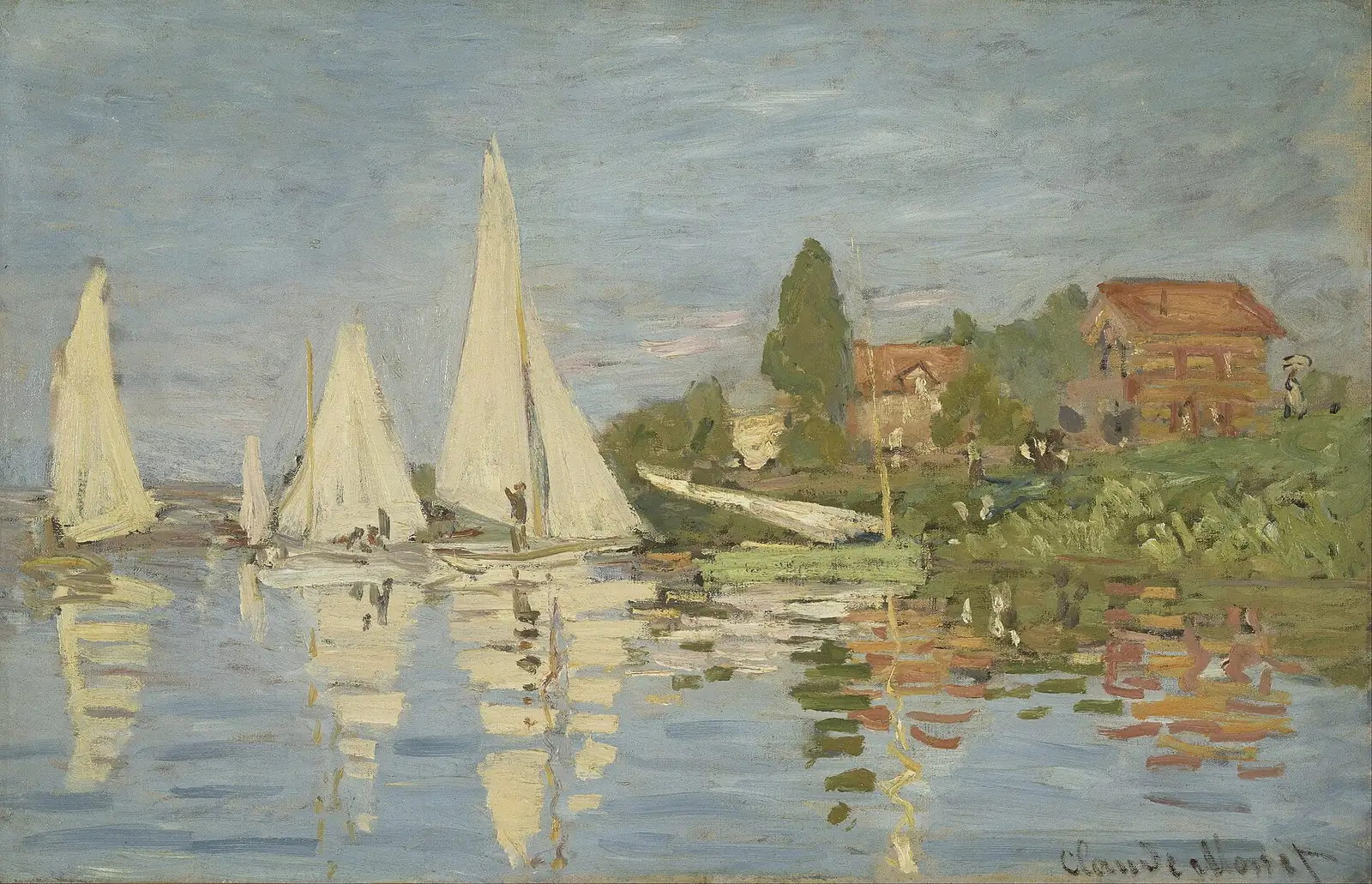
If you want a Monet on your Mac, start with the paintings below. They are the ones that sit well on a wide screen, picked from the 44 Monets in Art4 on October 10, 2026.
Monet paintings for your wallpaper
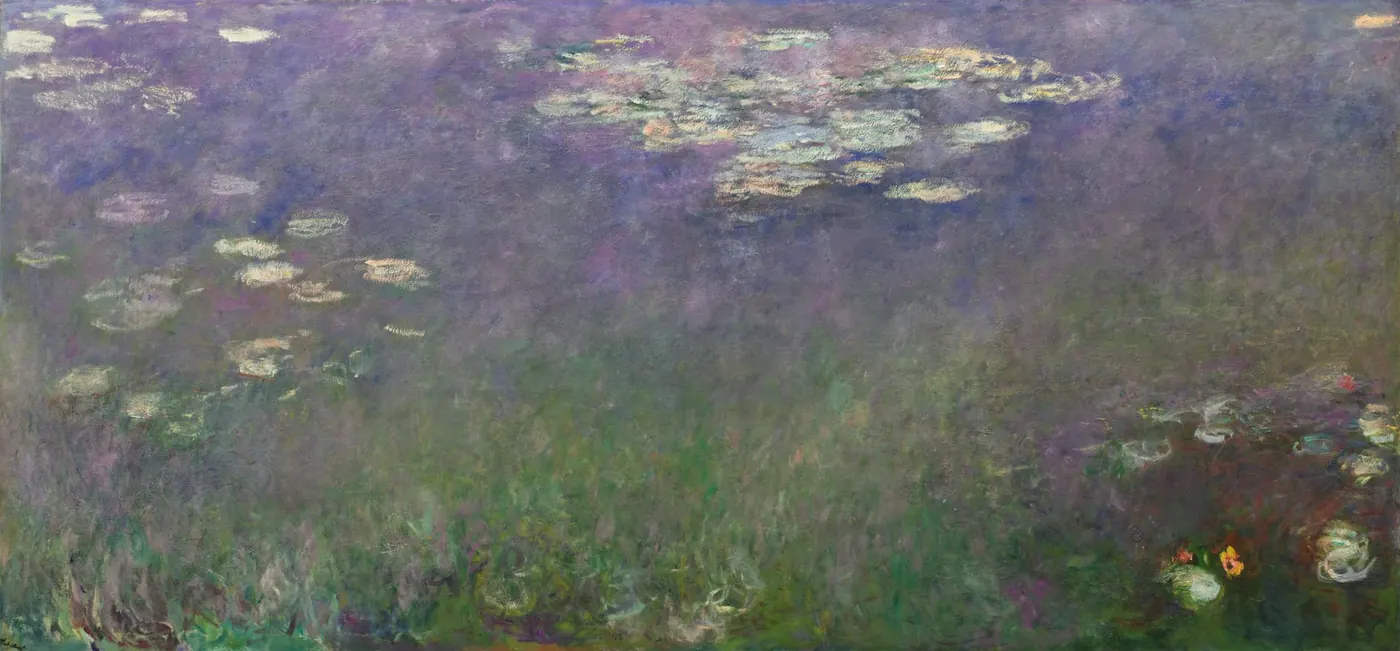
Water Lilies (Agapanthus)c. 1915–26, Cleveland Museum of ArtMuseum page: Water Lilies (Agapanthus) 
Impression, Sunrise1872, Musée Marmottan MonetMuseum page: Impression, Sunrise 
The Magpie1868–69, Musée d’OrsayMuseum page: The Magpie 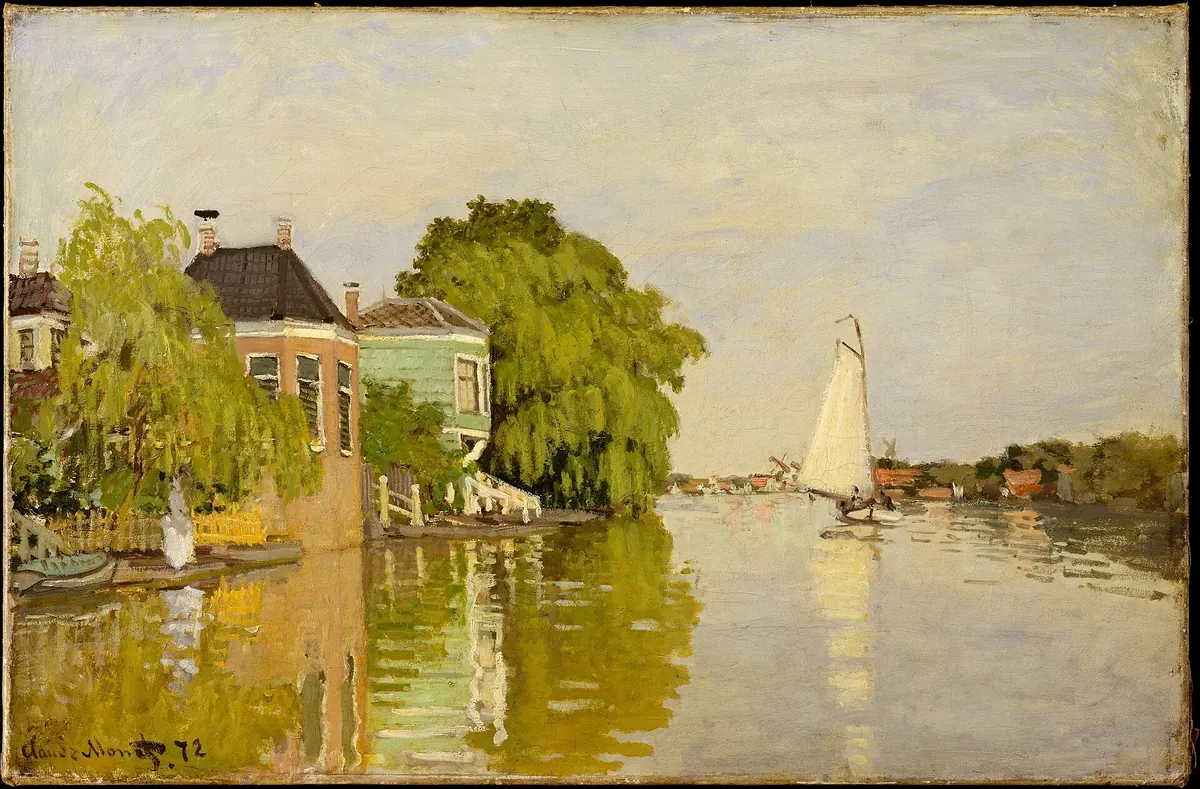
Houses on the Achterzaan1871, The MetMuseum page: Houses on the Achterzaan 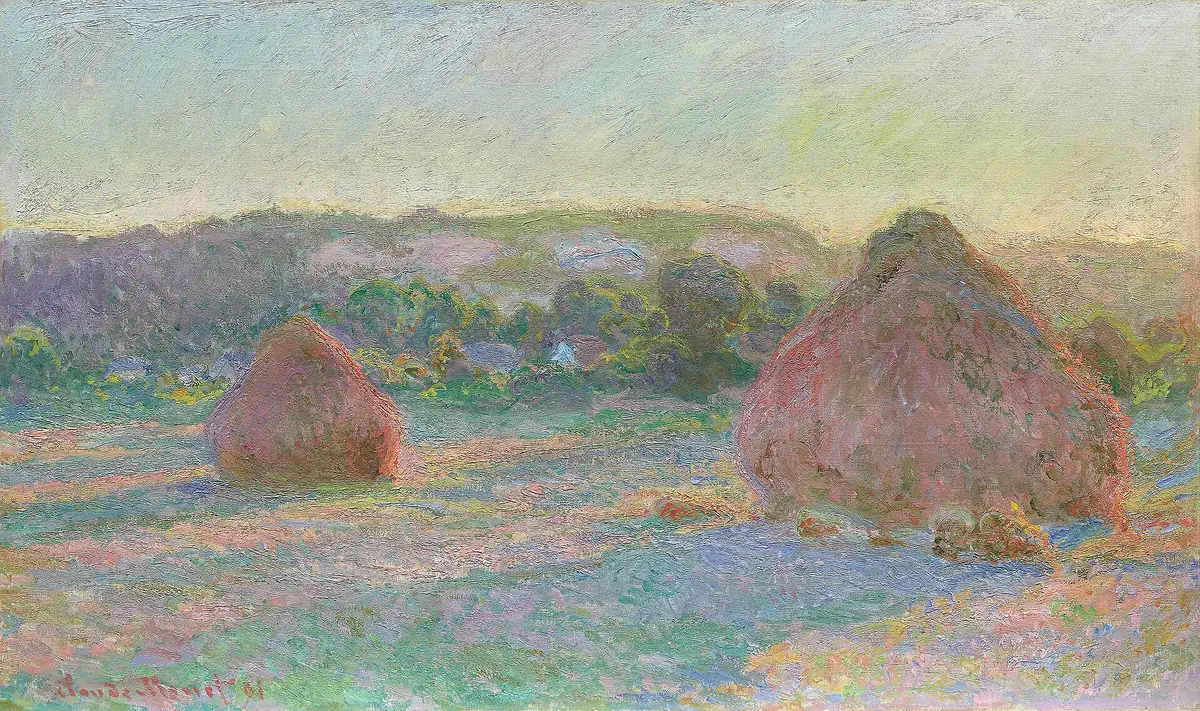
Stacks of Wheat (End of Summer)1890–91, Art Institute of ChicagoMuseum page: Stacks of Wheat (End of Summer)
Set these as your Mac wallpaper with Art4
- Choose a painting and it becomes your wallpaper. There is no file to find, download, or resize.
- Art4 has 44 Monets, and Van Gogh, Klimt, Vermeer, and many other painters to set the same way.
- Read the story behind each work, and follow how painters and movements connect while you browse.
Eight that fit a MacBook screen
These eight lose less than a tenth of the picture when they fill a MacBook Air or Pro screen. The closest fit comes first.
- Regattas at Argenteuil, c. 1872, Musée d’Orsay
- Houses on the Achterzaan, 1871, The Met
- The Magpie, 1868–69, Musée d’Orsay
- A Cart on the Snowy Road at Honfleur, 1867, Musée d’Orsay
- Stacks of Wheat (End of Summer), 1890–91, Art Institute of Chicago
- San Giorgio Maggiore at Dusk, 1908, National Museum Cardiff
- Gardener’s House at Antibes, 1888, Cleveland Museum of Art
- The Doge’s Palace Seen from San Giorgio Maggiore, 1908, The Met
Impression, Sunrise loses 17% of its height, split between the sky and the foreground, and it rarely shows. An upright painting such as Woman with a Parasol loses almost half. In Art4 you drag to choose which part of such a painting shows.
Questions about Monet wallpapers
Can I use a Monet painting as my wallpaper?
Yes. Monet died in 1926, and his paintings are in the public domain. On your own desktop any reproduction is fine. If the wallpaper will appear in a recording or a presentation, use an image a museum has released under CC0, as the Art Institute of Chicago and the Cleveland Museum of Art do.
Which Monet suits a 16:9 or ultrawide monitor?
On a 16:9 monitor, Stacks of Wheat (End of Summer) loses 5% of its height, the least of any Monet in Art4. For an ultrawide, use Water Lilies (Agapanthus), a canvas more than four metres wide that loses 10% of its height.
How do I set a painting as my Mac wallpaper?
Control-click the image file in Finder and choose Set Desktop Picture. To change how it is placed, open System Settings, choose Wallpaper, and pick Fill Screen or Fit to Screen.
Wallpapers by other painters
The same pages exist for Van Gogh, Klimt, and Impressionism as a whole. For the story of one of these paintings, read Monet’s Poppies explained.
Put a Monet on your Mac
Browse all 44 Monets, read the story behind each one, and set it as your wallpaper or let them rotate. The trial is free for 7 days.
Sources
Keep a painting like this on your Mac
Art4 lets you browse public-domain paintings by artist, movement, color, and screen shape, read the story behind each one, and set it as your wallpaper, or let it rotate on its own. Try it free for 7 days; if you keep it, it’s a one-time $14. Requires macOS 14 or later.